 Now on the Shopify App Store
The delivery date always lands on the order.
DateLock lets your customers choose a delivery or pickup date at checkout — saved to every order, enforced on every checkout including express, and built so it never breaks your store.
Date-sensitive orders fail two ways. DateLock fixes both.
Every incumbent loses merchants the same way — the date slips through, or the picker breaks the store. DateLock is engineered so neither can happen.
Everything to collect a date — and nothing that risks your checkout.
On every order
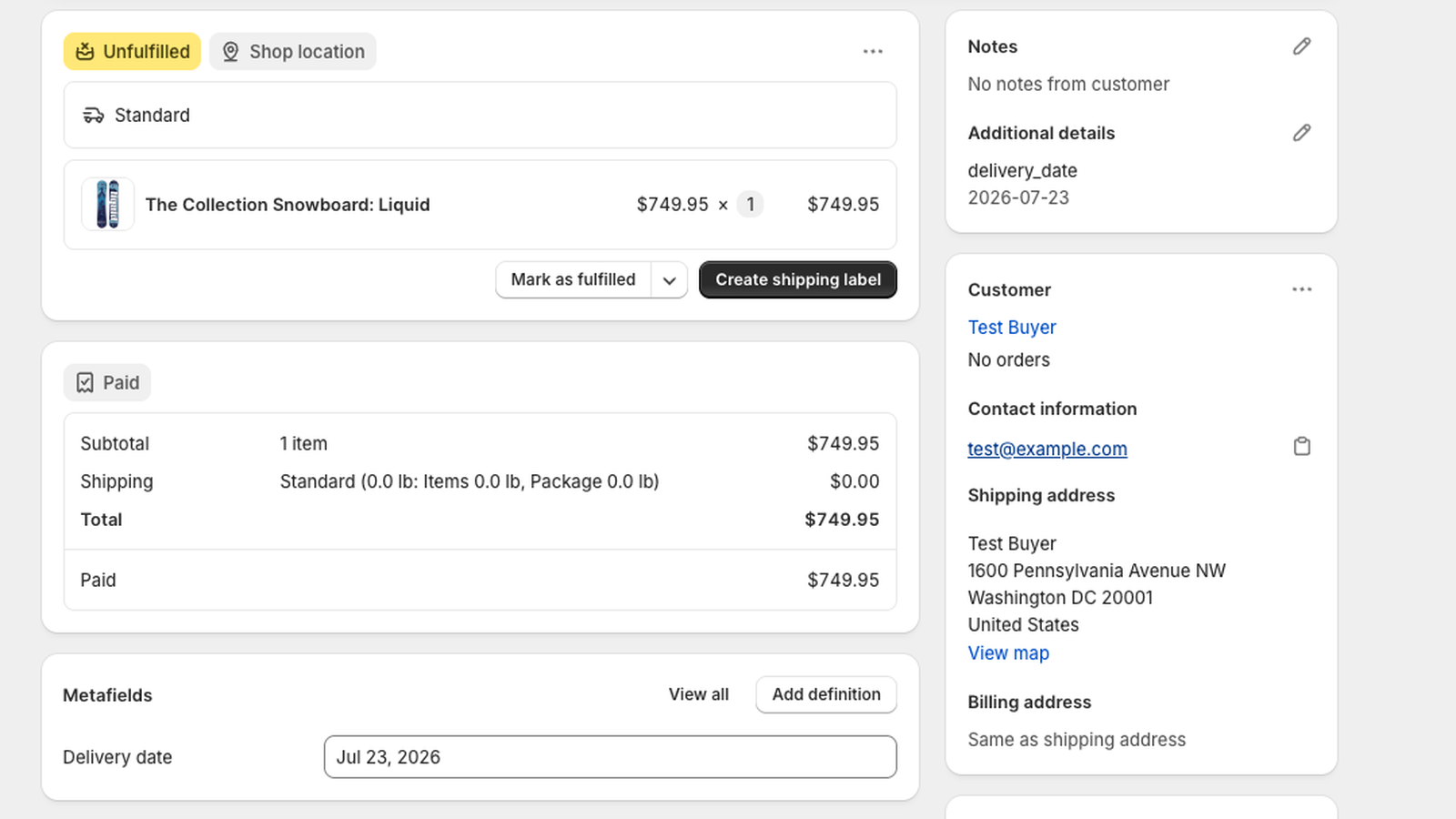
The chosen date is written to the order as a metafield, tag, and attribute — visible and filterable for fulfillment. It never gets dropped.
Every checkout, incl. express
A server-side validation requires a date before checkout completes — covering Shop Pay, PayPal, Apple Pay, Google Pay and Buy-it-now.
Never breaks checkout
DateLock fails open by design. If it ever can’t run, checkout still completes and only date collection pauses — never a lost sale.
Your delivery rules
Set cutoff times, lead and preparation time, and blackout dates. Customers can only pick dates you can actually fulfill.
Shows everywhere
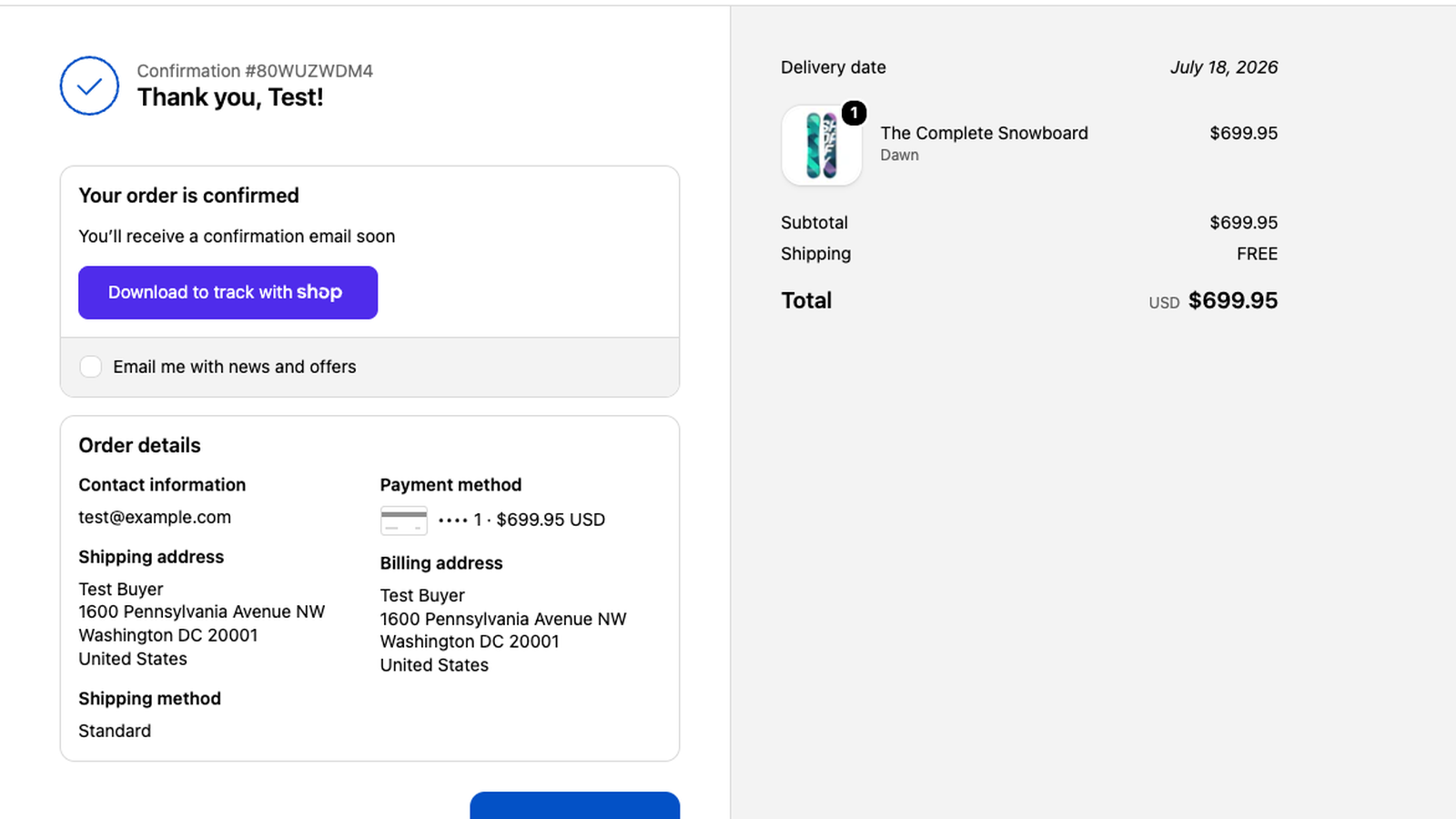
The date appears on the Thank-you page, the Order-status page, and — with a paste-in snippet — the order-confirmation email.
Leaves your theme alone
DateLock installs as a theme app embed — no theme code is edited. Switch it off or uninstall and nothing is left behind on your cart or checkout.
From checkout to fulfillment, the date carries through.
Customer picks a date
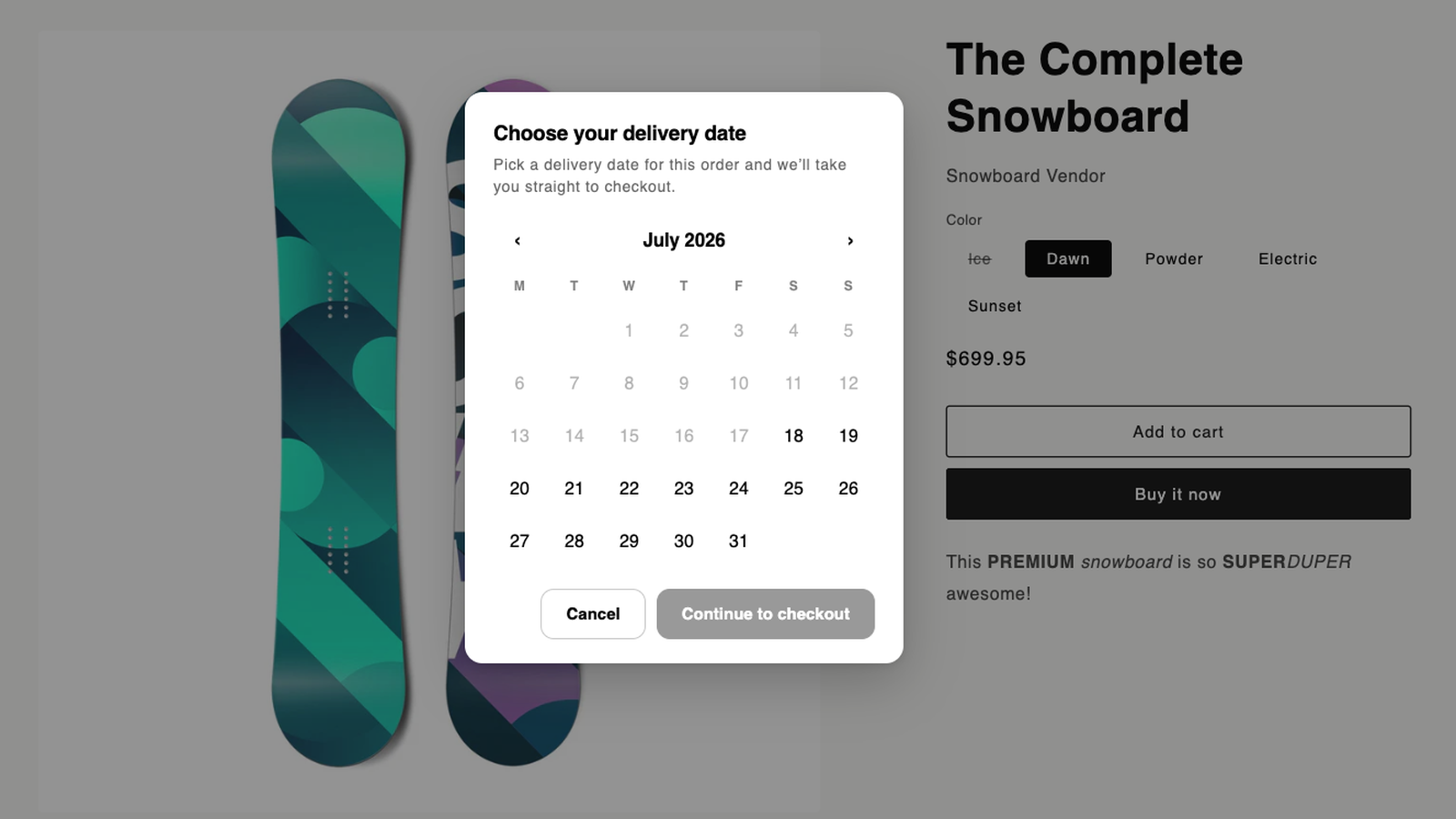
A clean date picker appears at checkout, greying out days your rules don’t allow — cutoffs, lead time, blackout dates.
DateLock enforces & saves it
The date is required before checkout can complete, then written straight onto the order — server-side, on every path.
You fulfill with confidence
The date is on the order detail, filterable by tag, and shown on the thank-you, order-status, and confirmation email.
The date, from checkout to fulfillment.
Watch the 30-second tour — or scan the key screens below. All from a live store.
Real screens from a live store — the picker at checkout, the date on the thank-you page, and the date on the order in your admin.
Flat and transparent. Core enforcement on every plan.
Priced per delivery-date order each month. No trial gimmicks — the free tier is permanent. Uninstalling stops future billing.
- Date on every order
- Enforced on express checkout
- Cutoff, lead time & blackouts
- Everything in Free
- 8× the monthly order volume
- No features locked behind the plan
- Everything in Growth
- No monthly cap
- Priority support
All plans include the full checkout enforcement and date-on-order — the core is never paywalled.
Lock in every delivery date.
Never lose a date — or a sale — again. DateLock is live on the Shopify App Store.
Add to Shopify